

Quick Paste
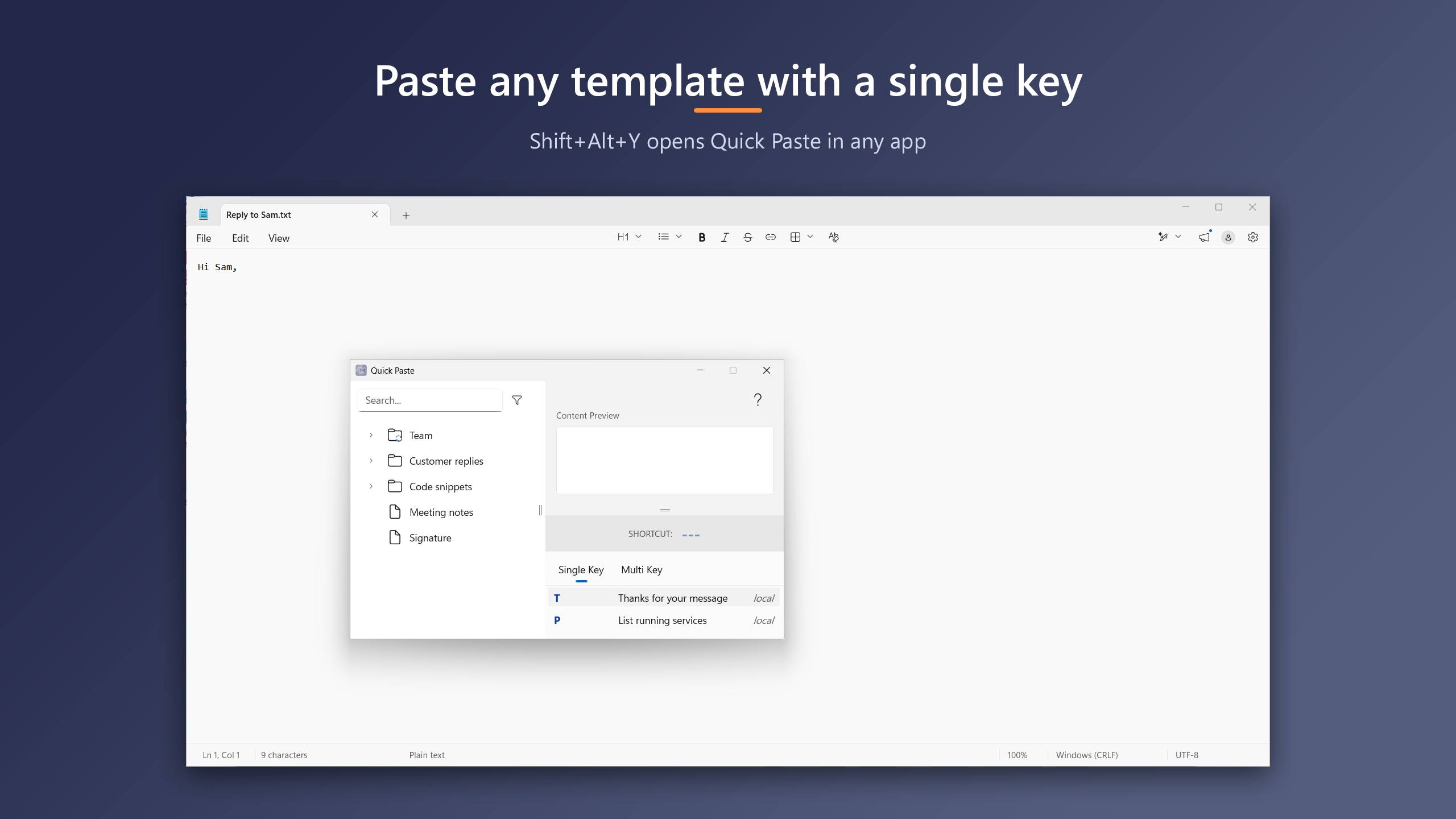
Press the hotkey wherever you type, then a template's key: the text is pasted where you were, formatted for the app you paste into.
Rich templates
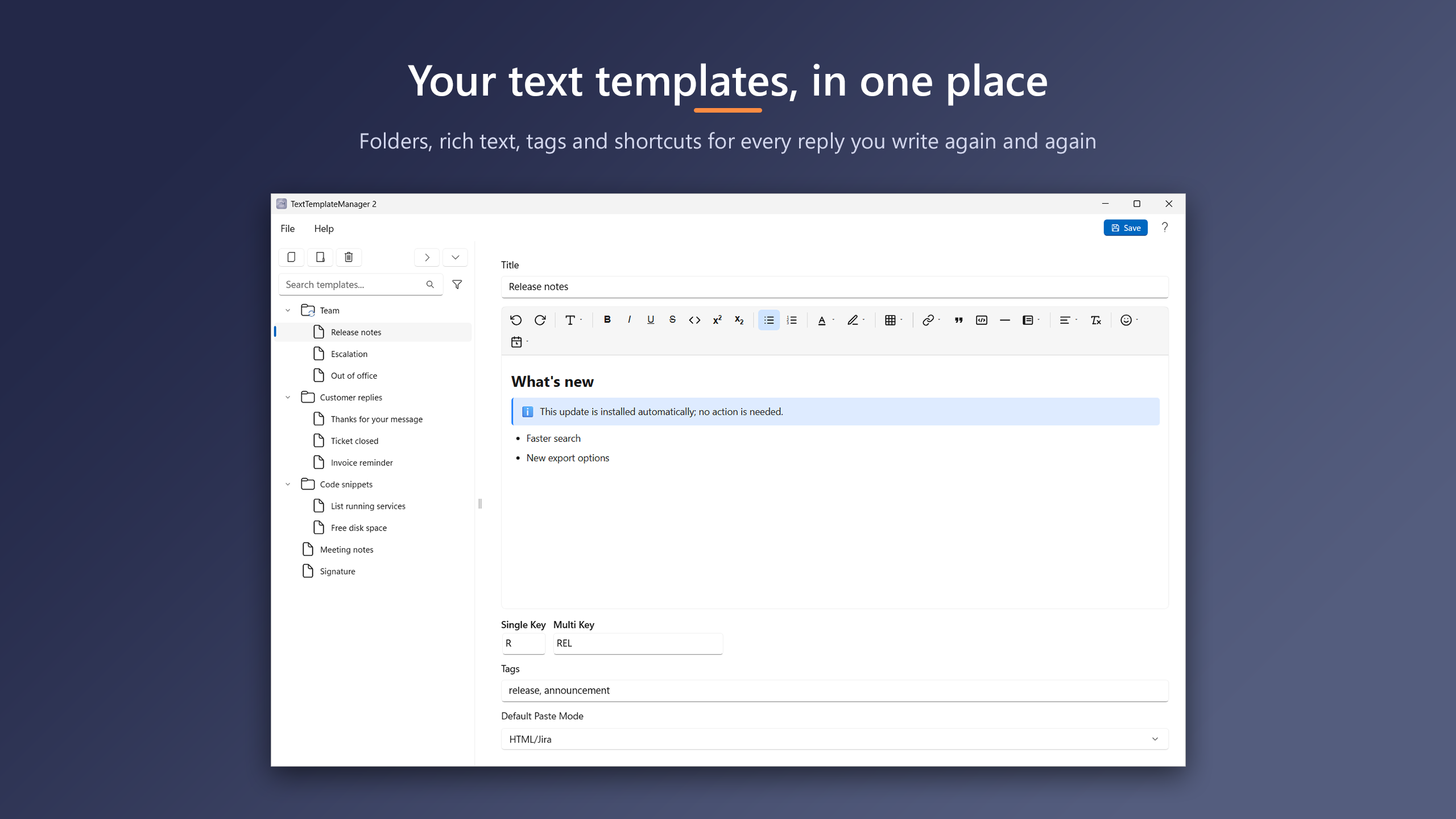
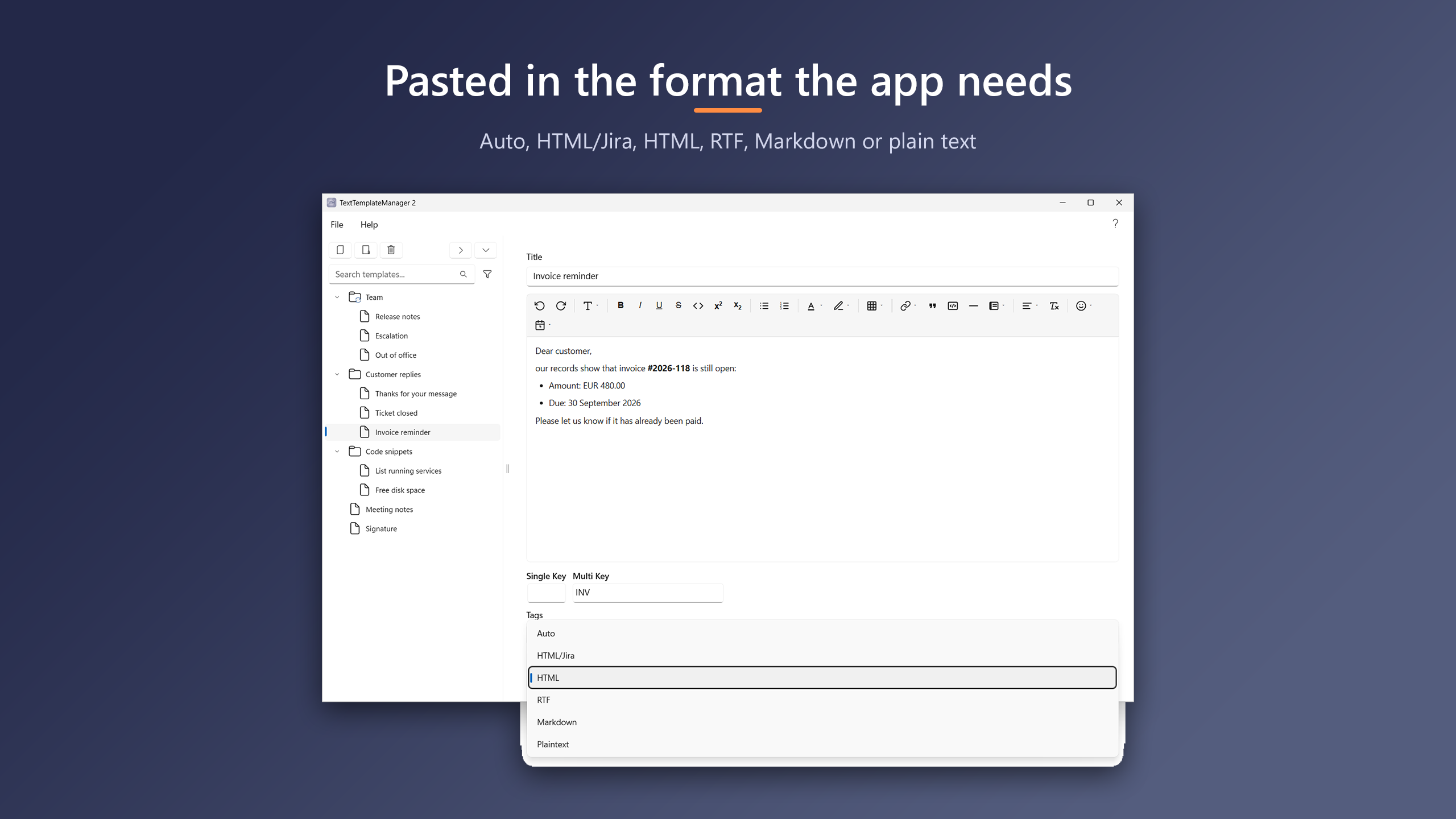
Headings, lists, tables, colors, code blocks and callout panels. Paste as HTML, Jira, RTF, Markdown or plain text.
Built for teams
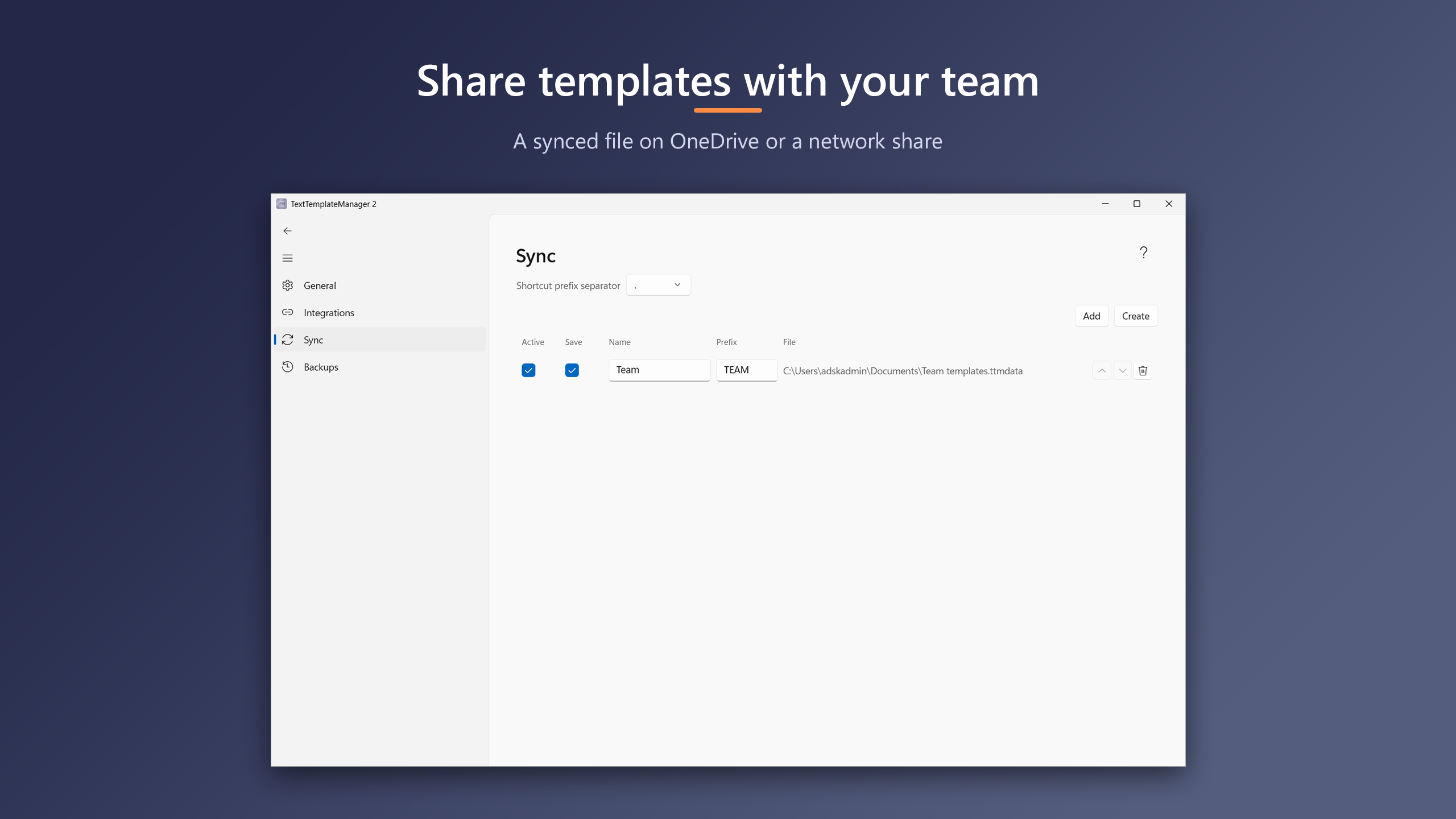
Share templates through a file in OneDrive or on a network share. Each shared file is a pinned folder, read-only if you like.
Safe with your data
Automatic backups in your Documents folder. Everything stays on your PC and in the shared files you choose.
Find anything
Search by title, tags or text as you type, fuzzy or exact. Folders with drag and drop.
In your browser
The TTM-Connect extension lists, pastes and creates templates from Chrome, Edge and Firefox.
See it in action
Documentation
Help & troubleshooting
Common questions, and what update messages mean.
Privacy
What the app stores, and what it never sends anywhere.
The manuals are also attached as PDFs to every release on GitHub.
Support
Questions: write to contact@kmarflow.com. A problem: report it by e-mail or, with a GitHub account, on GitHub; both ask what's needed, and Reporting a problem has the log collector for install and update problems. An idea: suggest it by e-mail or on GitHub. A security vulnerability: report it privately, see Reporting a security vulnerability. News and articles are on the blog at kmarflow.com.